
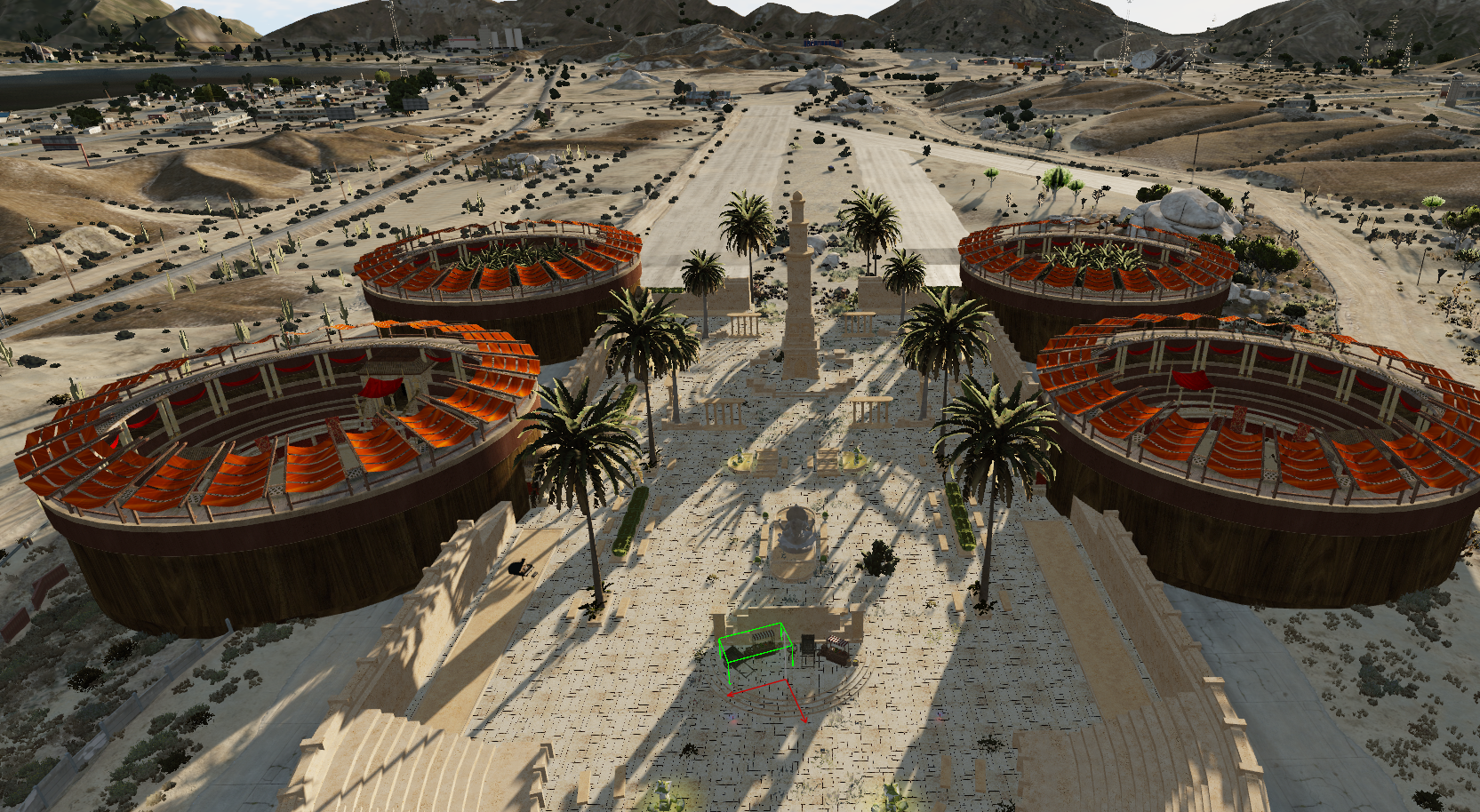
THIS IS AN INTERIOR, NOT AN MLO
:flag_it: 🏜️ Benvenuti a Vanhera — The Sand Capital 🏛️
Perduta tra dune infinite e tempeste eterne, Vanhera emerge dal deserto come una leggenda dimenticata. Un’antica capitale sotterranea scolpita nella pietra dorata, consumata dal sole e protetta da antichi culti che ancora sussurrano tra le sue rovine.
Nascosta sotto le sabbie delle terre desolate, questa gigantesca città è ciò che resta di un impero perduto. Tra corridoi monumentali, templi sepolti, sale rituali e cripte dimenticate, Vanhera custodisce segreti proibiti e reliquie di un’antica civiltà ormai scomparsa.
Esplora ogni angolo di questo oscuro dominio desertico, illuminato dalla luce delle torce e dai bagliori dorati che filtrano tra le rovine. Attraversa gigantesche sale reali, passaggi nascosti e antiche camere sacrificali consumate dal tempo.
⚔️ Sei pronto ad affrontare la maledizione di Vanhera?
:flag_gb: 🏜️ Welcome to Vanhera — The Sand Capital 🏛️
Lost among endless dunes and eternal storms, Vanhera rises from the desert like a forgotten legend. An ancient underground capital carved into golden stone, worn by the sun and protected by ancient cults still whispering through its ruins.
Hidden beneath the sands of desolate lands, this massive city is the remains of a lost empire. Monumental corridors, buried temples, ritual halls, and forgotten crypts hide forbidden secrets and relics from an ancient civilization long gone.
Explore every corner of this dark desert domain, illuminated only by torches and the golden glow filtering through the ruins. Walk through gigantic royal halls, hidden passages, and ancient sacrificial chambers consumed by time.
⚔️ Are you ready to face the curse of Vanhera?
A fantastic fantasy desert interior
English Version
Prerequisites
FiveM Client: Ensure you have the FiveM client installed and updated to the latest version.
Map Files: Download the Vanhera map files from the provided link or FiveM assets.
Installation Steps
Download the Map Files
Obtain the map files (usually in .zip or .rar format) from the creator's download link.
Extract the Files
Extract the downloaded files using software such as WinRAR or 7-Zip.
Move the Map Files to the FiveM Server Directory
Navigate to your FiveM server directory.
Inside the server directory, locate or create a folder named
resources.Move the extracted map folder into the
resourcesdirectory.
Example:/resources/[your_map_folder]
Edit the Server Configuration
Open the server.cfg file located in the main directory of your FiveM server.
Add the following line:start [your_map_folder]
Save and close the server.cfg file.
Restart Your FiveM Server
Restart your FiveM server to apply the changes.
Thank you!
Versione Italiana
Prerequisiti
Client FiveM: Assicurati di avere il client FiveM installato e aggiornato all’ultima versione.
File della Mappa: Scarica i file della mappa Vanhera dal link fornito o dagli asset FiveM.
Passaggi per l’Installazione
Scarica i File della Mappa
Ottieni i file della mappa (solitamente in formato .zip o .rar) dal link fornito dal creatore.
Estrai i File
Estrai i file scaricati utilizzando software come WinRAR o 7-Zip.
Sposta i File della Mappa nella Directory del Server FiveM
Vai nella directory del tuo server FiveM.
All’interno della directory principale, individua o crea una cartella chiamata
resources.Sposta la cartella della mappa estratta all’interno della cartella
resources.
Esempio:/resources/[nome_cartella_mappa]
Modifica la Configurazione del Server
Apri il file server.cfg situato nella directory principale del server FiveM.
Aggiungi la seguente riga:start [nome_cartella_mappa]
Salva e chiudi il file server.cfg.
Riavvia il Server FiveM
Riavvia il tuo server FiveM per applicare le modifiche.
Grazie!