
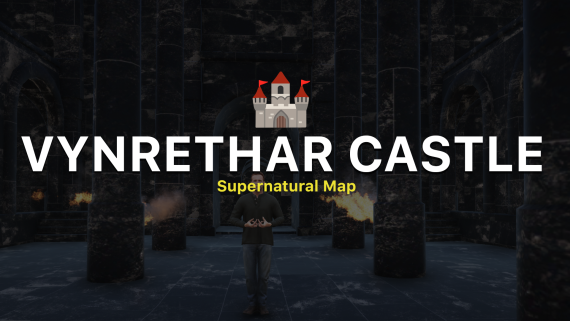
PREVIEW: https://youtu.be/2pGc8ovjBr8
THIS IS AN INTERIOR NOT MLO
:flag_it: **:new_moon: Benvenuti a Vynrethar Castle :european_castle:**
Immergiti nelle profondità oscure di Vynrethar Castle, un antico castello sotterraneo avvolto nel mistero e intriso di magia. Questa fortezza, nascosta sotto le terre desolate, è il rifugio segreto di un potente clan di vampiri, che qui custodisce segreti proibiti e tesori inestimabili.
Esplora ogni angolo di questo oscuro dominio, dalle sale ombrose illuminate solo dal pallido bagliore della luna, ai segreti celati nelle cripte dimenticate. Scopri gli enigmi di Vynrethar Castle e sopravvivi agli orrori che infestano questi corridoi millenari.
:bat: Sei pronto ad affrontare l'oscurità?
---
:flag_gb: **:new_moon: Welcome to Vynrethar Castle :european_castle:**
Immerse yourself in the dark depths of Vynrethar Castle, an ancient underground fortress shrouded in mystery and steeped in magic. This stronghold, hidden beneath desolate lands, is the secret refuge of a powerful clan of vampires, who guard forbidden secrets and priceless treasures within its walls.
Explore every corner of this dark domain, from the shadowy halls lit only by the pale glow of the moon, to the secrets hidden in the forgotten crypts. Uncover the mysteries of Vynrethar Castle and survive the horrors that haunt these ancient corridors.
:bat: Are you ready to face the darkness?
A fantastic fantasy map
> *This map includes a script that creates custom particles in the middle of the area. You can stop it by simply commenting out the client.lua in the fxmanifest.lua*
Coords: 169.4679, 6771.8901, -4.1921 ( contact me to move it)
English Version
Prerequisites
- FiveM Client: Ensure you have the FiveM client installed and updated to the latest version.
- Map Files: Download Tempio del sole map files from the provided link or fivem assets.
Installation Steps
Download the Map Files
- Obtain the map files (usually in a .zip or .rar format) from the link provided by the creator.
- Obtain the map files (usually in a .zip or .rar format) from the link provided by the creator.
Extract the Files
- Extract the downloaded files using software like WinRAR or 7-Zip.
- Extract the downloaded files using software like WinRAR or 7-Zip.
Move the Map Files to the FiveM Server Directory
- Navigate to your FiveM server directory. This is typically located in your main server folder.
- Inside the server directory, locate or create a folder named
resources. - Move the extracted map folder into the
resourcesdirectory. The path should look like this:/resources/[your_map_folder].
Edit the Server Configuration
- Open the
server.cfgfile located in the main directory of your FiveM server. - Add a line to include the new map resource. It should look something like this:
start [your_map_folder] - Save and close the
server.cfgfile.
- Open the
Restart Your FiveM Server
- Restart your FiveM server to apply the changes.
Thank you!
- Restart your FiveM server to apply the changes.
Versione Italiana
Prerequisiti
- Client FiveM: Assicurati di avere il client FiveM installato e aggiornato all'ultima versione.
- File della Mappa: Scarica i file della mappa Tempio del Sole dal link fornito o dagli asset di FiveM.
Passaggi per l'Installazione
Scarica i File della Mappa
- Ottieni i file della mappa (di solito in formato .zip o .rar) dal link fornito dal creatore.
Estrai i File
- Estrai i file scaricati utilizzando software come WinRAR o 7-Zip.
Sposta i File della Mappa nella Directory del Server FiveM
- Vai alla directory del tuo server FiveM. Questa si trova tipicamente nella cartella principale del server.
- All'interno della directory del server, individua o crea una cartella denominata
resources. - Sposta la cartella della mappa estratta nella directory
resources. Il percorso dovrebbe essere simile a questo:/resources/[nome_cartella_mappa].
Modifica la Configurazione del Server
- Apri il file
server.cfgsituato nella directory principale del tuo server FiveM. - Aggiungi una riga per includere la nuova risorsa della mappa. Dovrebbe assomigliare a questo:
plaintextCopia codicestart [nome_cartella_mappa] - Salva e chiudi il file
server.cfg.
- Apri il file
Riavvia il Tuo Server FiveM
- Riavvia il tuo server FiveM per applicare le modifiche.
Grazie!