
PREVIEW: https://streamable.com/3j5zo2
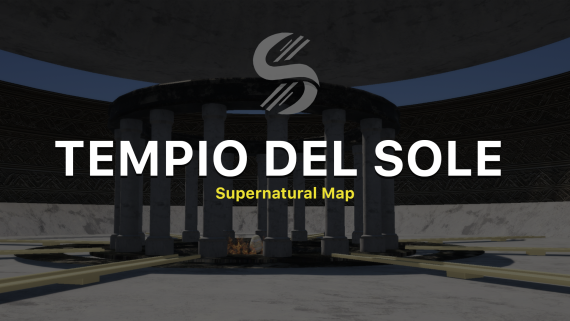
This asset is an ancient Roman temple set high in the sky, designed for FiveM. The temple is dedicated to Sol Invictus, the sun god, and is a blend of classical Roman architecture and mystical elements, creating an ethereal and divine atmosphere.
English Version
Prerequisites
- FiveM Client: Ensure you have the FiveM client installed and updated to the latest version.
- Map Files: Download Tempio del sole map files from the provided link or fivem assets.
Installation Steps
Download the Map Files
- Obtain the map files (usually in a .zip or .rar format) from the link provided by the creator.
- Obtain the map files (usually in a .zip or .rar format) from the link provided by the creator.
Extract the Files
- Extract the downloaded files using software like WinRAR or 7-Zip.
- Extract the downloaded files using software like WinRAR or 7-Zip.
Move the Map Files to the FiveM Server Directory
- Navigate to your FiveM server directory. This is typically located in your main server folder.
- Inside the server directory, locate or create a folder named
resources. - Move the extracted map folder into the
resourcesdirectory. The path should look like this:/resources/[your_map_folder].
Edit the Server Configuration
- Open the
server.cfgfile located in the main directory of your FiveM server. - Add a line to include the new map resource. It should look something like this:
start [your_map_folder] - Save and close the
server.cfgfile.
- Open the
Restart Your FiveM Server
- Restart your FiveM server to apply the changes.
Thank you!
- Restart your FiveM server to apply the changes.
Versione Italiana
Prerequisiti
- Client FiveM: Assicurati di avere il client FiveM installato e aggiornato all'ultima versione.
- File della Mappa: Scarica i file della mappa Tempio del Sole dal link fornito o dagli asset di FiveM.
Passaggi per l'Installazione
Scarica i File della Mappa
- Ottieni i file della mappa (di solito in formato .zip o .rar) dal link fornito dal creatore.
Estrai i File
- Estrai i file scaricati utilizzando software come WinRAR o 7-Zip.
Sposta i File della Mappa nella Directory del Server FiveM
- Vai alla directory del tuo server FiveM. Questa si trova tipicamente nella cartella principale del server.
- All'interno della directory del server, individua o crea una cartella denominata
resources. - Sposta la cartella della mappa estratta nella directory
resources. Il percorso dovrebbe essere simile a questo:/resources/[nome_cartella_mappa].
Modifica la Configurazione del Server
- Apri il file
server.cfgsituato nella directory principale del tuo server FiveM. - Aggiungi una riga per includere la nuova risorsa della mappa. Dovrebbe assomigliare a questo:
plaintextCopia codicestart [nome_cartella_mappa] - Salva e chiudi il file
server.cfg.
- Apri il file
Riavvia il Tuo Server FiveM
- Riavvia il tuo server FiveM per applicare le modifiche.
Grazie!